
GUIDELINES
AI Image Prompts
Create better images in AI with better prompts. Read through the guidelines to create custom print ready designs.
Specify that the artwork is for a DTF transfer, the shirt color, intended print size, style, colors, and exact wording. Ask for the artwork itself; request a shirt mockup separately.
Specify to make the image with truly transparent background, keeping all lines clean and crisp with no smoke, fading edges, soft shadows, and partially transparent effects.
Specify you want your image at 300 dpi at the print size. Changing a file’s resolution label alone does not add detail or fix a blurry image.
Review spelling, dates, names, small lettering, hands, faces, and repeated objects. An attractive image can still contain mistakes.
Identify exactly what should change and what should stay. If an original photograph or logo must remain exact, regenerating it can alter details; placing the original into the finished layout is more dependable.
Upload the downloaded PNG rather than a screenshot of the preview. Use our builders Visual Aid to check transparency, pixel dimensions, cropping, and edge quality before ordering.
Creating an image with AI does not automatically grant permission to use someone else’s logo, character, photograph, or likeness.
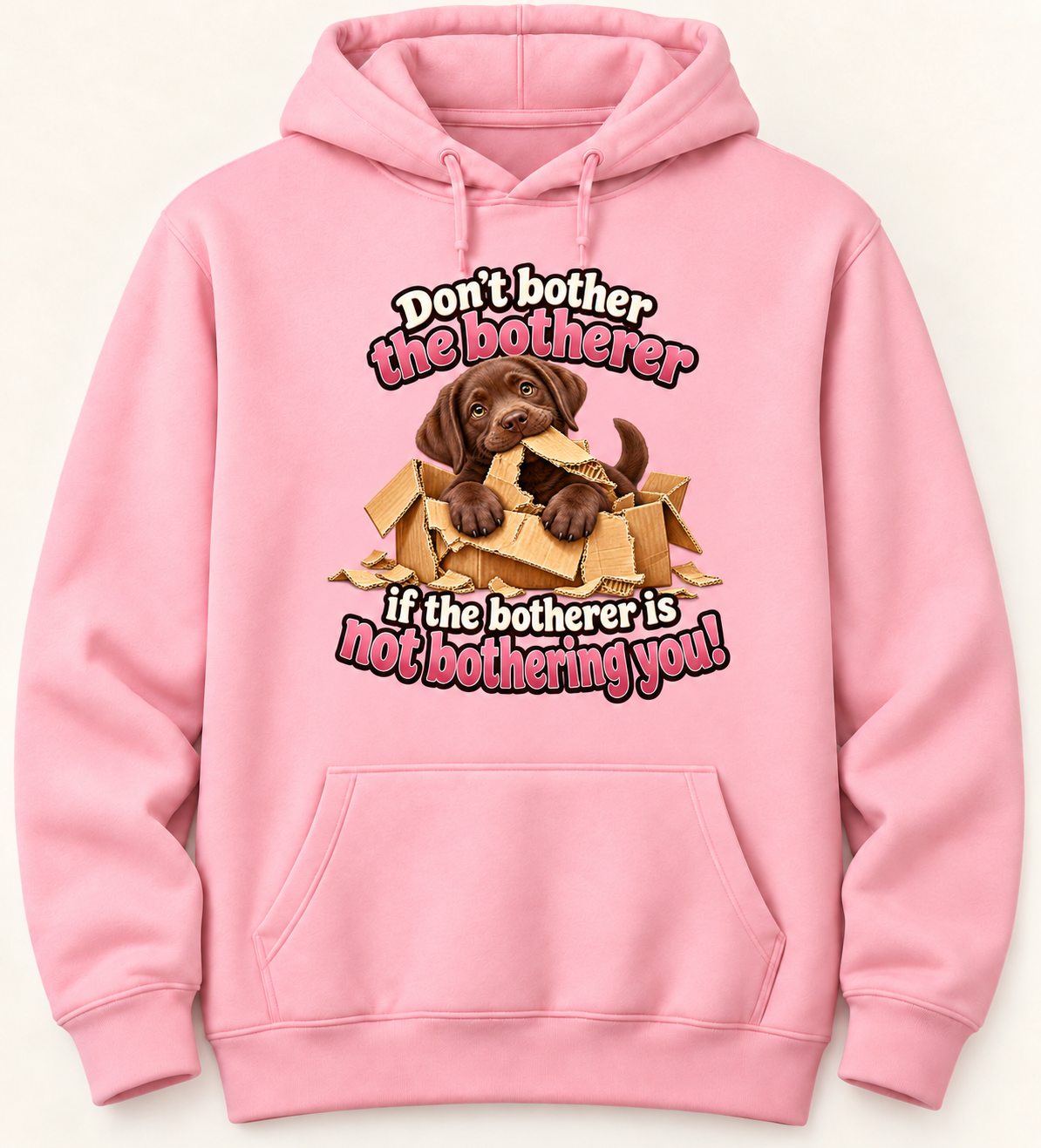
IMAGE CREATION PROMPTS
ChatGPT
Tell ChatGPT what you’re making.
Please design an image, to go on District Mellow Fleece carnation pink hoodie, with a really cute chocolate lab puppy in the image tearing up a cardboard box, with the following saying: Don't bother the botherer if the botherer is not bothering you!
Explain transparency and get high resolution image.
Perfect. Now we need this to be 13" wide at 300 dpi with a truly transparent background for DTF printing. Keep the design lines clean and crisp with no smoke, fading edges, soft shadows, and partially transparent effects.
Mock up on Product
Perfect. Now let's mock it up on District® MelloFleece Hoodie carnation pink on the front sized to fit proportionally above the pocket.